Feedback Protection
Asking for feedback on an order that's gone wrong is a quick way to get a negative. Vendsta checks your recent orders every hour for signs of trouble and holds back feedback reminders and auto-feedback until they're sorted out.
What counts as a problem
An order needs attention when:
- it hasn't been dispatched by eBay's dispatch-by date
- a cancellation is in progress
- the buyer has opened a return
- the buyer has opened an item not received request
- there's an eBay case open
- it's been partly refunded
- the buyer has sent a message mentioning a problem, such as "damaged", "not arrived", "wrong item" or "refund"
The Needs attention list
Orders with a problem are listed on your dashboard, with the reason and how long ago it started. Click an order to deal with it.

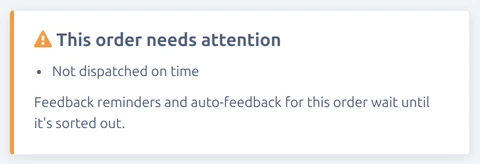
The order's own page shows the same warning.
What's held back
On Preferences → Feedback you can turn each of these on or off. Both are on by default.
- Hold Reminders for Problem Orders: no feedback reminder is sent while the order has a problem. If it's sorted out in time, the reminder is sent as normal.
- Hold Auto-Feedback for Problem Orders: automatic feedback waits until the problem is sorted out.
You can also be told straight away when an order needs attention. See Instant Notifications.